Supported Models
Kertex AI exposes a small set of tier aliases instead of raw Google model names. You call an alias such as kertexai-fast, and Kloudbean maps it to a managed Google Gemini model behind the scenes. This keeps your integration stable even when the underlying model is upgraded.
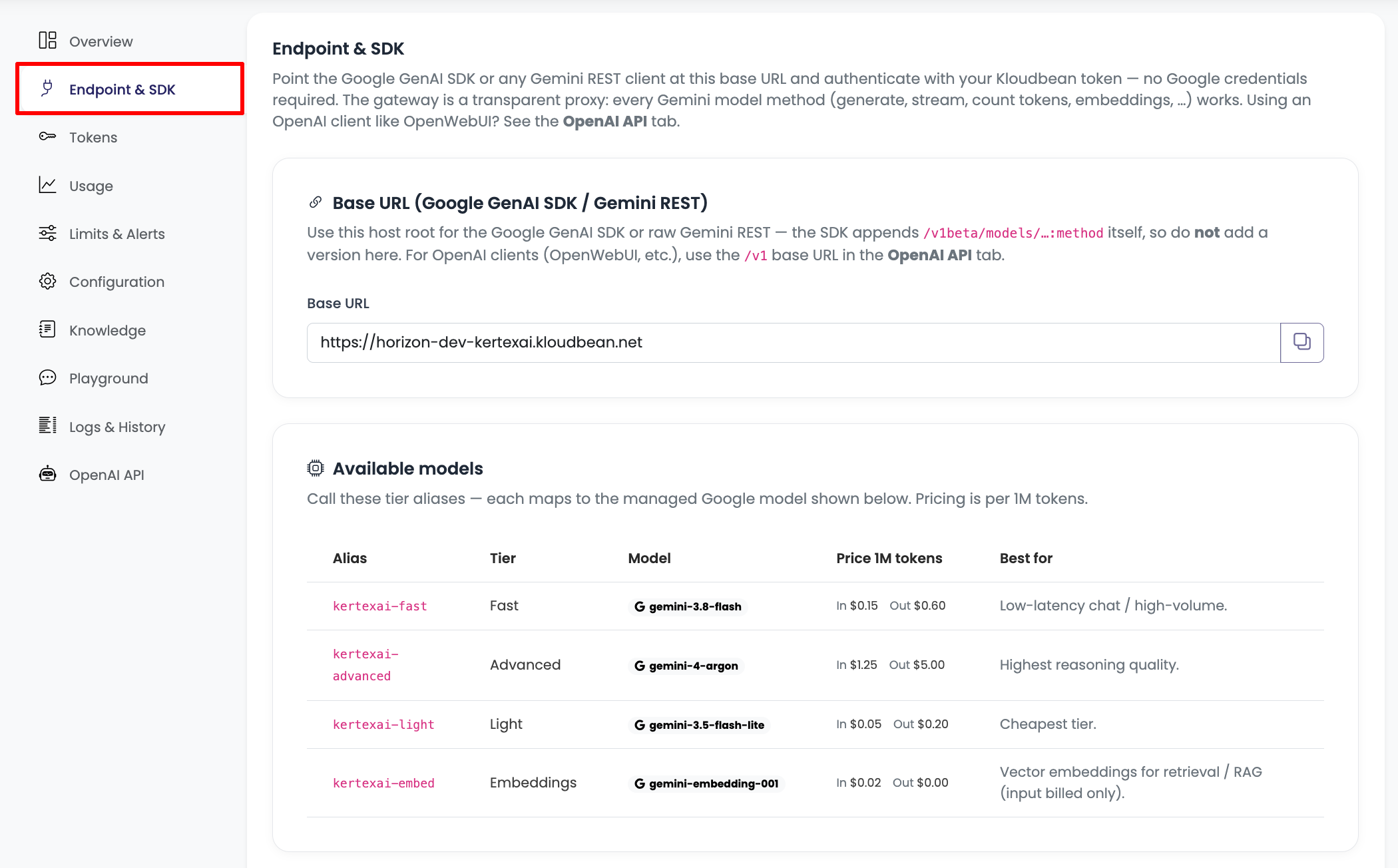
Model tiers
| Alias | Tier | Best for |
|---|---|---|
kertexai-fast | Fast | Low-latency chat and high-volume workloads. |
kertexai-advanced | Advanced | Highest reasoning quality for complex analysis. |
kertexai-light | Light | The cheapest tier — classification, routing, short extraction tasks. |
kertexai-embed | Embeddings | Vector embeddings for retrieval / RAG (input billed only). |
You can see the exact Google model each alias currently maps to, along with live pricing, in your console under the environment's Endpoint & SDK tab.
Pricing
Pricing is per token, billed on what you actually use (input tokens + output tokens). Example published rates, shown per 1M tokens:
| Alias | Input (per 1M) | Output (per 1M) |
|---|---|---|
kertexai-fast | $0.15 | $0.60 |
kertexai-advanced | $1.25 | $5.00 |
kertexai-light | $0.05 | $0.20 |
kertexai-embed | $0.02 | $0.00 |
Rates shown here are examples. Your console's Endpoint & SDK tab always reflects the current pricing for your account. Embeddings bill on input only.
Choosing a tier
- Start with
kertexai-fastfor most chat and assistant workloads — it balances speed and cost. - Move specific calls to
kertexai-advancedonly where you need the strongest reasoning (complex analysis, hard multi-step tasks). It costs noticeably more per token. - Use
kertexai-lightfor cheap, high-volume, low-complexity work such as classification, routing, tagging, or short summarisation. - Use
kertexai-embedto turn text into vectors for semantic search and retrieval-augmented generation (RAG).
Managed model upgrades
Because you call a Kloudbean alias rather than a pinned Google model id, Kloudbean can move a tier to a newer or better model without breaking your integration. Your code keeps sending kertexai-fast; the quality improves underneath. The current mapping is always visible in the Endpoint & SDK tab.
Next steps
- Create an API token → to start calling these models.
- Developer Guide → for request examples with each tier.