Overview
Kertex AI is Kloudbean's fully managed generative-AI service. It gives your applications a private, production-ready AI endpoint backed by Google Gemini models — without you touching Google Cloud, service accounts, or billing.
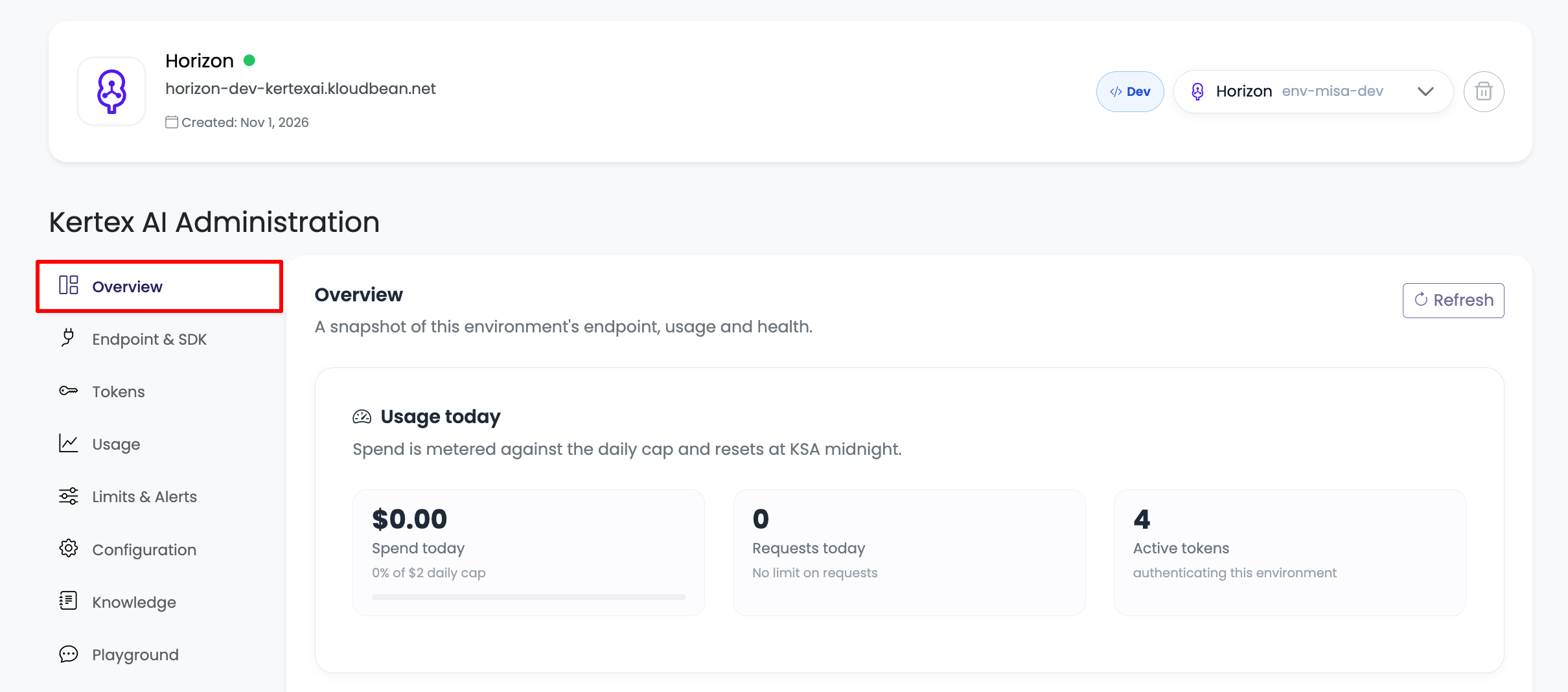
What is Kertex AI
Kertex AI is a managed API gateway in front of Google's Gemini models. Kloudbean operates the Google Cloud project, the service-account credentials, the networking, and the billing relationship with Google. You get a clean endpoint and an API token, and you are billed by Kloudbean for exactly what you use.
Each Kertex AI environment (for example Dev, Staging, Production) is an isolated unit with:
- its own endpoint host, e.g.
https://horizon-dev-kertexai.kloudbean.net - its own API tokens (created, scoped and revoked independently)
- its own spend caps, rate limits and alerts
- its own usage metering and request logs
How it works
Kertex AI is a transparent proxy. It speaks the native Gemini wire protocol, so the official Google GenAI SDK — or any Gemini REST client — can point at your Kertex endpoint unchanged. It also exposes an OpenAI-compatible surface so tools like OpenWebUI, LibreChat, Continue and LangChain work out of the box.
On every request the gateway:
- Authenticates your Kloudbean API token.
- Enforces the environment's spend caps, rate limit and request cap in real time.
- Forwards the request to the managed Google model exactly as you sent it.
- Meters the call (tokens, cost, latency, status) and writes an audit log entry.
Because it is transparent, the generation settings your application sends (model, temperature, system instruction, tools, response schema, and so on) are passed through to the model unchanged — Kertex does not rewrite them.
Why teams use it
- No Google Cloud setup — no service accounts, no quota requests, no GCP billing to manage.
- Hard spend caps — a true ceiling on daily and monthly spend; calls return
HTTP 429once a cap is hit, so there are no surprise overages. - One token, full surface — a single Kloudbean token unlocks chat, streaming, token counting and embeddings.
- Drop-in compatibility — works with the Google GenAI SDK and OpenAI clients.
- Visibility — per-request logs and daily/hourly usage trends, exportable to CSV.
- Isolation — separate environments and tokens for dev, staging and production.
Accessing Kertex AI
Open the Kloudbean console and go to Kertex AI from the dashboard. Each environment opens into the Kertex AI Administration view with these tabs: Overview, Endpoint & SDK, Tokens, Usage, Limits & Alerts, Configuration, Knowledge, Playground, Logs & History, and OpenAI API.
Resources
- Supported Models → The Kertex AI model tiers, what each is best for, and pricing.
- API Tokens → Create, scope and revoke the tokens that authenticate your calls.
- Developer Guide → Endpoints, authentication, the Google GenAI SDK, REST, streaming, embeddings, and monitoring.
- OpenAI Compatibility → Use Kertex AI from any OpenAI client or tool.
- Configuration → How environment configuration and the transparent-proxy model work.
- Limits & Alerts → Daily and monthly spend caps, rate limits, and threshold alerts.