Developer Guide
This guide covers everything you need to call Kertex AI from code: the endpoint, authentication, the Google GenAI SDK, raw REST, streaming, embeddings, error handling, and how to monitor usage and logs.
Base URL and endpoints
Point the Google GenAI SDK or any Gemini REST client at your environment's host root — the SDK appends the /v1beta/models/…:method path itself, so you do not add a version to the base URL.
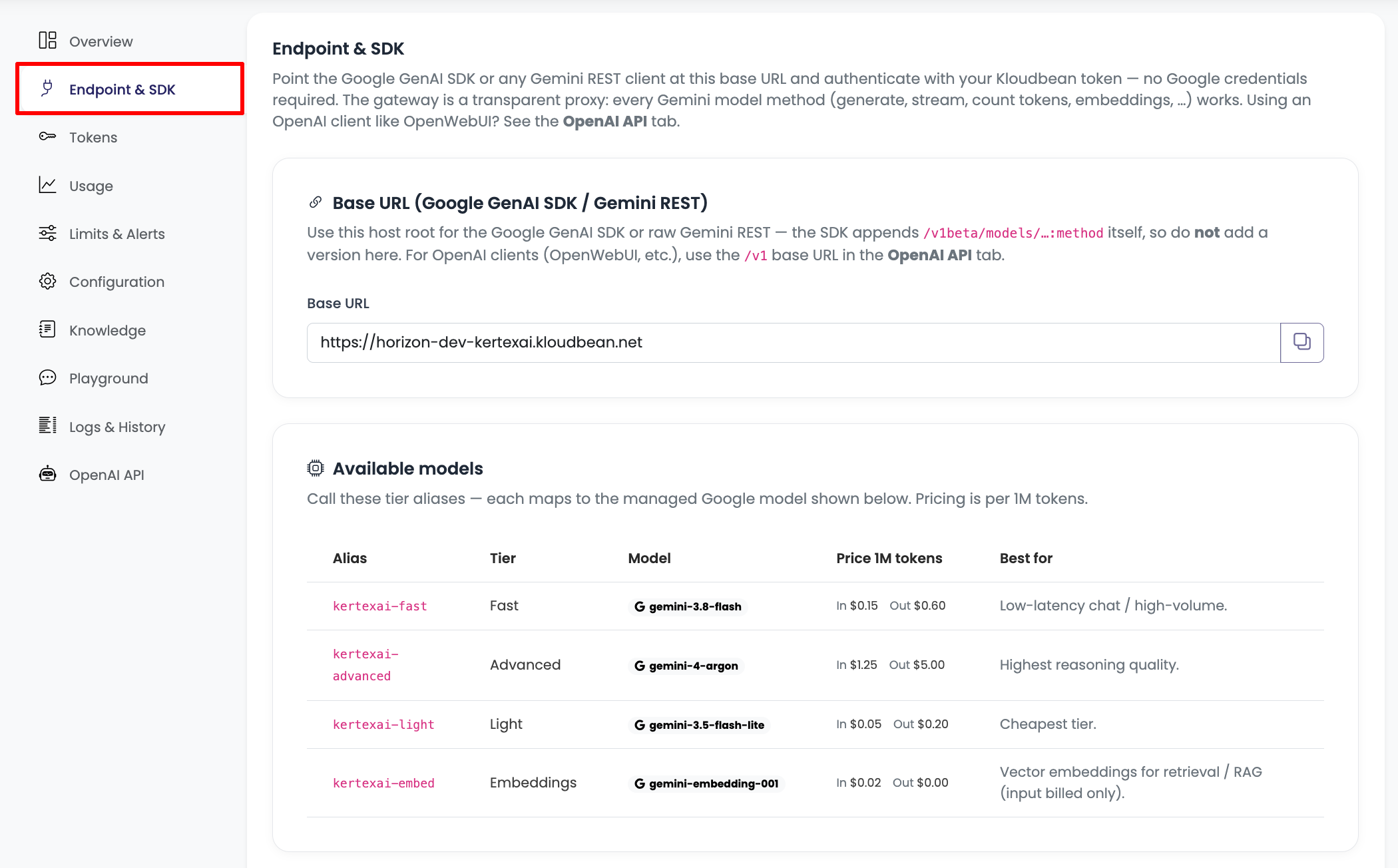
Base URL (GenAI SDK / Gemini REST):  https://<environment-host>
Example:                             https://horizon-dev-kertexai.kloudbean.net
Because Kertex is a transparent proxy, every Gemini model method works. Call them against a tier alias (kertexai-fast, kertexai-advanced, kertexai-light, kertexai-embed):
| Method | Path |
|---|---|
| Generate | POST /v1beta/models/{alias}:generateContent |
| Stream | POST /v1beta/models/{alias}:streamGenerateContent?alt=sse |
| Count tokens | POST /v1beta/models/{alias}:countTokens |
| Embeddings | POST /v1beta/models/{alias}:embedContent |
Using an OpenAI client such as OpenWebUI, LibreChat, Continue or LangChain? Use the OpenAI-compatible API instead — it has its own /v1 base URL.
Authentication
Send your Kloudbean token on every request, in whichever form your client uses:
Authorization: Bearer <token>— most HTTP and OpenAI clientsx-goog-api-key: <token>— the Google GenAI SDK?key=<token>— query parameter
No Google credentials are ever required — Kloudbean supplies them behind the gateway.
Google GenAI SDK — Python
Install the official SDK and point it at your base URL:
pip install google-genai
from google import genai
from google.genai import types

client = genai.Client(
    api_key="kb_dev_your_token_here",
    http_options=types.HttpOptions(
        base_url="https://horizon-dev-kertexai.kloudbean.net",
    ),
)

resp = client.models.generate_content(
    model="kertexai-fast",
    contents="Explain load balancing in one short paragraph.",
)
print(resp.text)
Per-request settings (temperature, system instruction, max tokens, …) are passed straight through to the model:
resp = client.models.generate_content(
    model="kertexai-advanced",
    contents="Summarise the key risks in this contract.",
    config=types.GenerateContentConfig(
        temperature=0.2,
        max_output_tokens=1024,
        system_instruction="You are a precise legal assistant.",
    ),
)
Google GenAI SDK — Node.js
npm install @google/genai
import { GoogleGenAI } from "@google/genai";

const ai = new GoogleGenAI({
  apiKey: "kb_dev_your_token_here",
  httpOptions: { baseUrl: "https://horizon-dev-kertexai.kloudbean.net" },
});

const resp = await ai.models.generateContent({
  model: "kertexai-fast",
  contents: "Explain load balancing in one short paragraph.",
});
console.log(resp.text);
Raw Gemini REST
curl "https://horizon-dev-kertexai.kloudbean.net/v1beta/models/kertexai-fast:generateContent" \
  -H "Content-Type: application/json" \
  -H "x-goog-api-key: kb_dev_your_token_here" \
  -d '{
        "contents": [
          { "role": "user", "parts": [{ "text": "Hello, who are you?" }] }
        ]
      }'
Streaming
Stream tokens as they are generated using streamGenerateContent with alt=sse:
for chunk in client.models.generate_content_stream(
    model="kertexai-fast",
    contents="Write a short haiku about the sea.",
):
    print(chunk.text, end="", flush=True)
curl "https://horizon-dev-kertexai.kloudbean.net/v1beta/models/kertexai-fast:streamGenerateContent?alt=sse" \
  -H "Content-Type: application/json" \
  -H "x-goog-api-key: kb_dev_your_token_here" \
  -d '{"contents":[{"role":"user","parts":[{"text":"Count to five."}]}]}'
Embeddings
Use the kertexai-embed tier to turn text into vectors for semantic search and RAG:
resp = client.models.embed_content(
    model="kertexai-embed",
    contents="Kloudbean makes managed infrastructure simple.",
)
print(resp.embeddings[0].values[:8])
Counting tokens
Estimate the token size of a prompt before sending it (no generation cost):
curl "https://horizon-dev-kertexai.kloudbean.net/v1beta/models/kertexai-fast:countTokens" \
  -H "Content-Type: application/json" \
  -H "x-goog-api-key: kb_dev_your_token_here" \
  -d '{"contents":[{"role":"user","parts":[{"text":"How many tokens is this?"}]}]}'
Error handling
Kertex returns standard HTTP status codes. The ones to handle explicitly:
| Status | Meaning | What to do |
|---|---|---|
401 | Invalid or missing token | Check the token value and that it is sent on the request. |
403 | Token used against the wrong endpoint | Use the token only against its own environment's host. |
429 | A spend cap, rate limit, or daily request cap was reached | Back off and retry later, or raise the cap (see Limits & Alerts). |
5xx | Upstream model/network error | Retry with backoff; these are passed through from the provider. |
Any other model error (for example an invalid request body) is passed through faithfully from Gemini so your existing error handling keeps working.
Monitoring usage
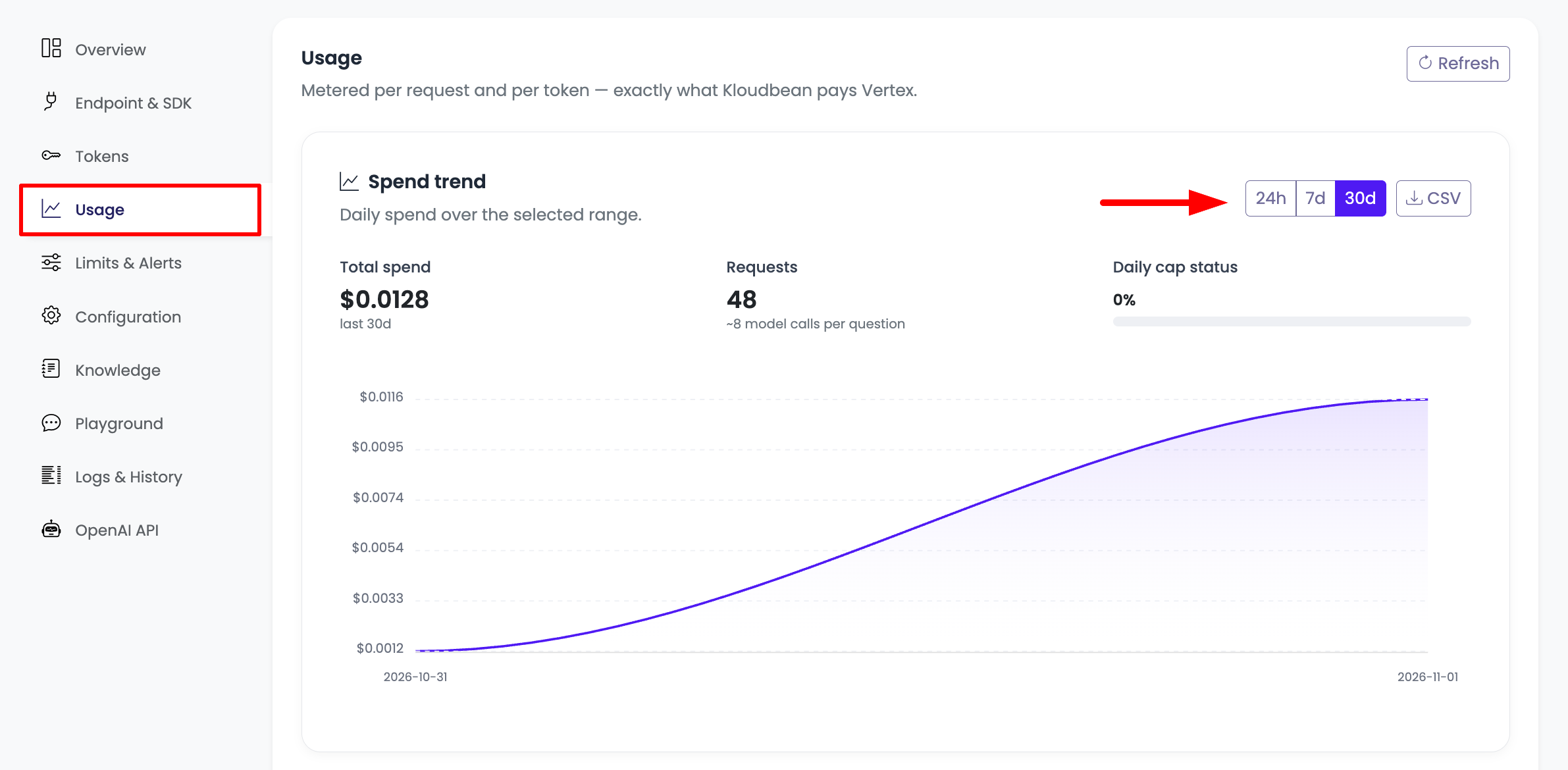
The Usage tab shows spend and request trends over 24h, 7d or 30d, with totals, the daily-cap status, and a CSV export.
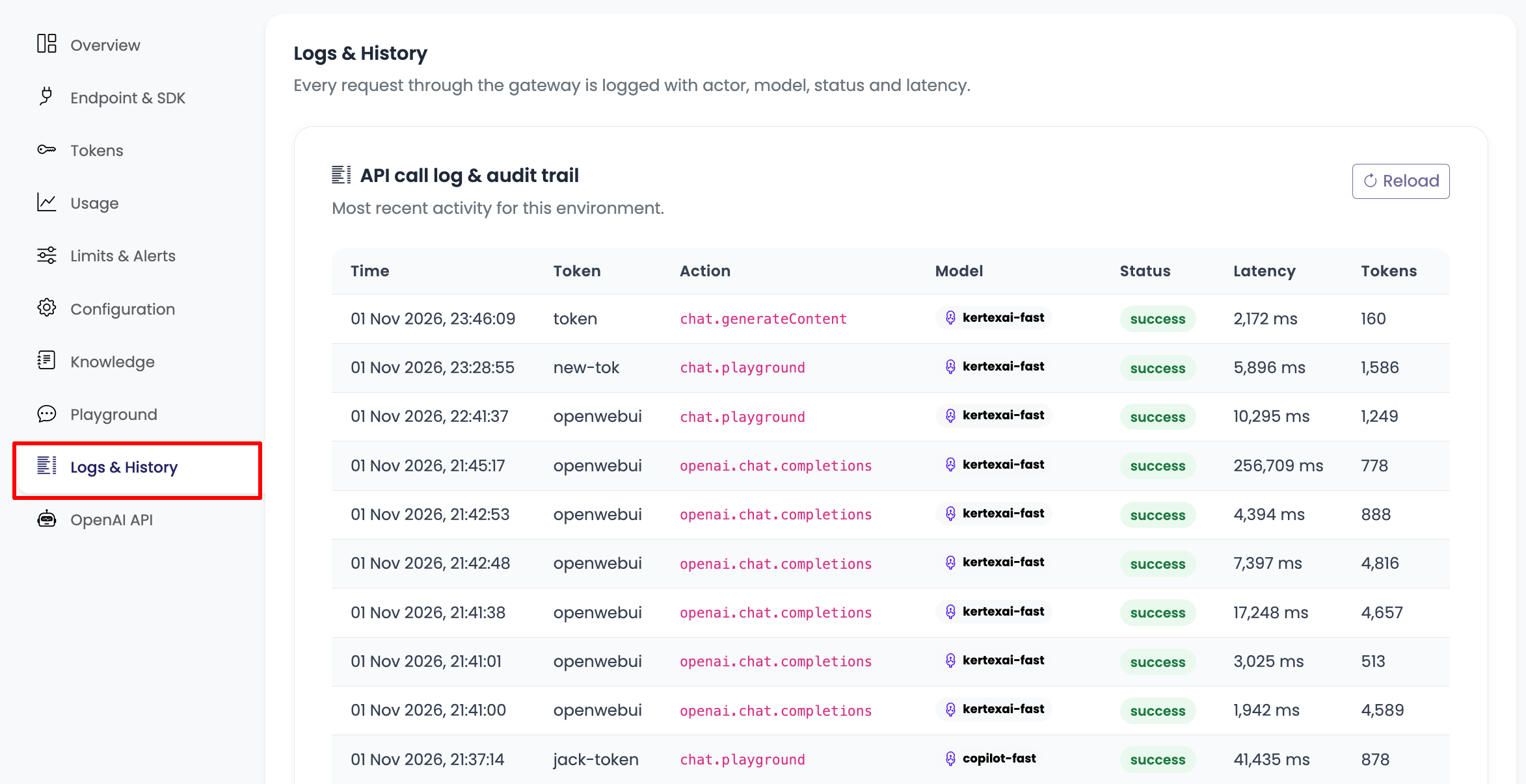
Request logs & audit trail
The Logs & History tab records every request through the gateway — time, the token used, the action (for example chat.generateContent or openai.chat.completions), the model tier, status, latency and tokens. Use it to audit activity and debug integrations.
Next steps
- OpenAI Compatibility → to use Kertex from OpenAI clients.
- Limits & Alerts → to set spend caps and get notified.